
01
Allowed apps
Choose exactly which apps are available to the user.
VV Kiosk lets you configure and manage Android devices in dedicated mode. The administrator defines available apps, permitted functions, and Internet access rules. Requires Android 10+; final compatibility depends on the device model.
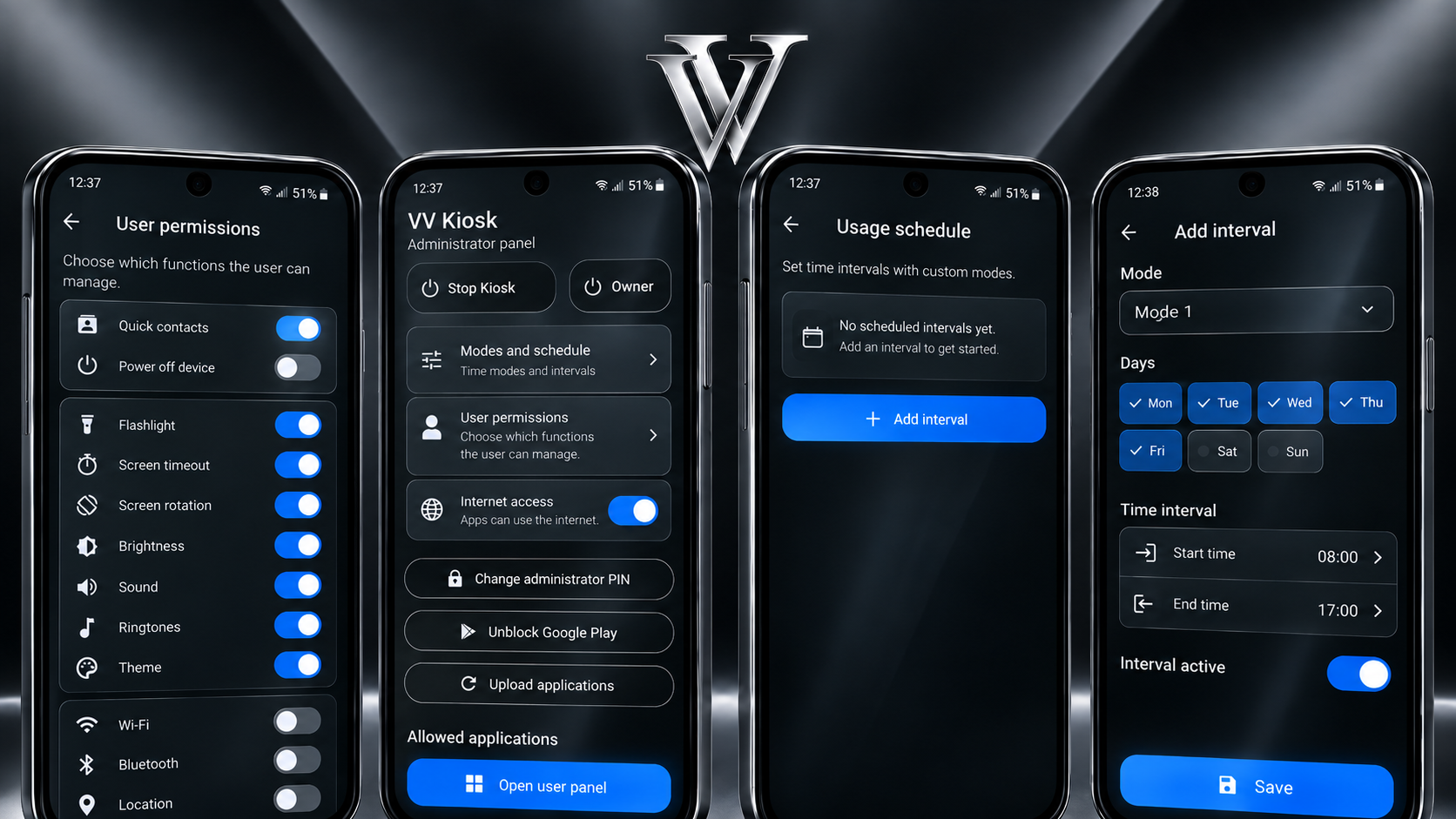
VV Kiosk is designed for dedicated Android devices: control apps, system functions, Internet access and scheduled usage modes.
Choose exactly which apps are available to the user.
Create different modes and apply them automatically on a schedule.
Allow or block Internet access globally and per app.
Users only see device controls permitted by the administrator.
Sensitive settings are protected by the Administrator PIN.
After a restart, the device returns to the configuration set by the administrator.
For full setup, the device must be new or reset to factory settings.
Our guide shows exactly how to open Android setup mode and scan the code.
The license is bound to that device and can be reused when reinstalling on the same device.
Set the Administrator PIN, allowed apps, modes and user access.
One-time payment. No subscription. All features included. Future updates are free.
The VV Kiosk interface and website are prepared for users across multiple European markets.
Online purchasing will be enabled through the VV HOLDING GROUP commerce platform.
For full dedicated-device control, Android requires provisioning during initial setup. A used device generally needs to be factory reset.
No. One license is valid for one device only. It can be reused when reinstalling on that same device.
Internet is required for initial activation and some online operations. After activation, VV Kiosk's core operation is local.
No. VV Kiosk costs €24.90 per device as a one-time payment, and future updates are free.
The Administrator PIN cannot be recovered. The only way to set a new PIN is to factory-reset the device and configure VV Kiosk again.
Resetting and reconfiguring the same device with the same license from your personal Cabinet is free — you do not need to purchase a new license.
If you can no longer access Android settings, the device can be reset from the Recovery menu. This is usually opened during startup using a combination of physical buttons, for example Power + Volume. The exact combination and steps depend on the manufacturer and device model.
After the reset, start the initial Android setup, open the QR scanner and scan the VV Kiosk configuration code from your personal Cabinet. During configuration, you will be able to set a new Administrator PIN.
You can request deletion of your account and associated personal data through our Account Deletion page. Resetting your Android device does not delete your online account.